

Instead of manually matching phone calls to your calendar, connect each inquiry to a lead record, a follow-up owner, and a booking outcome. Local SEO services for small business should help you see which search inquiries become booked jobs—not just which pages attract visits.
TL;DR
Local SEO services for small business should connect search visibility, call tracking, follow-up, and booked jobs.
ClearPilot Consulting fits local service owners who need workflow mapping alongside SEO and business automation consulting.
Keep original lead sources separate from later calls, scheduling updates, and completed jobs.
Test the full inquiry-to-booking workflow before using its reports to make marketing decisions.
Why this matters
A phone call is not a booked job. Someone still needs to answer, confirm the request, arrange the next step, and record what happened. If those handoffs disappear into voicemail or personal notes, your SEO report stops before the business outcome.
ClearPilot Consulting is best for local service owners who need workflow mapping alongside SEO. Its workflow-first approach starts with how inquiries move through your business, then connects existing tools where practical. ClearPilot Consulting offers business process automation consulting and supporting SEO and website services.
For your 2026 reporting, separate search visibility from lead handling. Rankings describe discovery; lead records describe inquiries; booking records describe scheduled work. Connecting those records gives you a basis for deciding what to fix.
Before you start
Gather access and examples. You need authorized access to your website forms, business phone system, scheduling tool, and wherever you record customer inquiries. Bring examples of an unanswered call, a booked appointment, and a canceled request.
Choose a record owner. Name the person responsible for checking new inquiries and updating outcomes. Agree on what counts as a qualified inquiry, a booking, and a completed job before building connections.
Check tracking and recording separately. Call attribution identifies an inquiry's source; call recording captures the conversation. Recording has consent requirements that vary by jurisdiction. Confirm your obligations before enabling it, and preserve consistent public business contact information when configuring tracking numbers.
This guide is tool-neutral. The bold record names below are suggested labels you create, not buttons claimed to exist in every application. Use equivalent fields in the tools you already have.
Lead record configuration
Map the inquiry before connecting tools
Write the actual path. Start with a search inquiry and follow it through answering, qualification, scheduling, and completion. Include voicemail and callbacks rather than drawing only the successful route.
Choose one primary record. Use your existing customer system or a shared register with controlled access. Avoid treating separate inboxes as separate sources of truth.
Create the source fields. Add Lead ID, Created at, Original source, Source evidence, and Latest contact. Source evidence records why you assigned the source, such as a tracked website visit or the caller's answer.
Create the action fields. Add Owner, Next action, Next action due, Lead status, and Booking ID. Store the booking reference separately from the lead identifier.
Define exception ownership. Assign someone to handle incomplete records, unclear service requests, and connection failures. An unattended error queue is another inbox nobody owns.
Expected result: You can open a lead record and identify where it came from, who owns it, and what happens next.
Keep the map short enough for your receptionist or office manager to explain. For a 2026 workflow review, use these stages: Inquiry, Qualification, Follow-up, Booking, and Job outcome. Each stage needs a clear handoff, not another application.
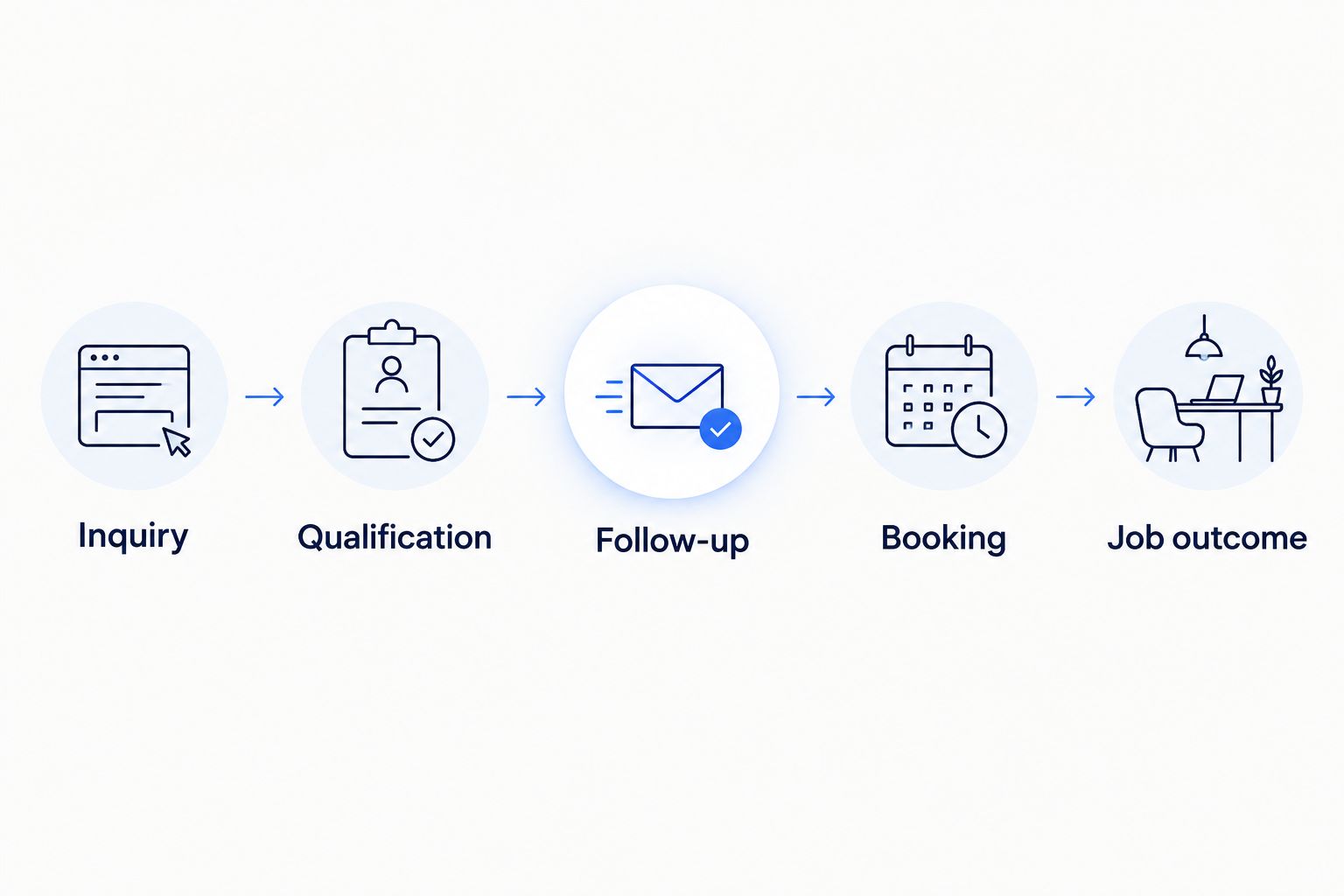
Record the handoff between stages, not just the first inquiry.
Keep descriptions operational. An illustrative plumbing inquiry might need a service category and service address before scheduling; it does not need an automated guess about the customer's spending power.
Choose the tracking depth you can maintain
Use the simplest setup that preserves the connection between inquiry and outcome. These are workflow options, not a software ranking.
| Tracking approach | Best for | Advantage | Limitation |
|---|---|---|---|
| Shared lead register | An owner establishing a consistent process | Makes ownership and outcomes explicit | Staff must enter and update records |
| Connected customer system | A team already using shared customer records | Keeps follow-up and booking references together | Field mapping and duplicate handling need maintenance |
| Call attribution connected to lead records | A business comparing sources of phone inquiries | Adds source evidence to incoming calls | Attribution does not prove that a call became a job |
Start with the register if your team cannot consistently record outcomes. Adding tracking to an undefined process creates more records without resolving who should act on them.
Inquiry capture configuration
Connect calls and forms to the same process
List the entry points. Include business-profile calls, website calls, contact forms, and chatbot inquiries when you use them. Keep the source distinct from the contact method: phone describes the method, not necessarily how someone found you.
Set a new-inquiry trigger. Where supported, use a call event or form submission to create or update a lead record. If an integration is unavailable, assign manual entry rather than pretending the connection exists.
Map only necessary details. Capture contact information, the requested service, and the information needed to route the inquiry. Keep sensitive details out of broad team notifications.
Define matching rules. Check for an existing contact before creating another. Do not automatically merge every inquiry sharing a phone number; households, offices, and repeat customers create legitimate exceptions.
Preserve source evidence. Keep Original source unchanged when a person calls back. Record the new interaction under Latest contact instead.
Expected result: A fresh inquiry creates a usable record, while a callback adds context without erasing its history.
If you add inbound lead enrichment, use it to add useful business details to incoming inquiries and route follow-up. It is not outbound prospect-list research. For a commercial service request, relevant details might include the business name and requested location, with uncertain information flagged for confirmation.
Define attribution limits
A website tracking number can help associate a call with a tracked visit when the setup supports it. It does not automatically establish the source of every caller. A person can save a number, return later, or hear about your business elsewhere.
Use Unknown when evidence is missing. If the caller tells you how they found you, label that as self-reported information rather than presenting it as tracked evidence. Your 2026 source report needs to distinguish what was observed from what was reported.
Follow-up and booking configuration
Route the next action without surrendering decisions
Assign an owner. Route by confirmed service area or service category. Send ambiguous requests to a person rather than forcing them into an unsuitable category.
Create the follow-up task. Use the inquiry record to create an assigned task with a due time agreed by your team. Base that commitment on staffed hours, not an invented response promise.
Control acknowledgments. If your setup supports an automatic receipt message, state that the inquiry was received. Do not confirm an appointment before the scheduling system or a staff member confirms it.
Connect the booking. When work is scheduled, write the booking reference and scheduled date back to the lead record. Keep requested dates separate from confirmed dates.
Record the outcome. Distinguish scheduled, completed, canceled, and not proceeding. Add a reason when the team knows it; do not invent a reason to fill a report.
Expected result: Every open inquiry has an owner and next action, and every confirmed booking points back to its inquiry.
Keep people in control of exceptions. A chatbot can collect a request, but collecting information is not the same as approving unusual work or promising an appointment. Route uncertain requests to someone authorized to decide.
Test the handoffs before launch
Run 5 test inquiries: an answered call, a missed call, a form submission, a repeat caller, and a cancellation. These are recommended checks, not performance benchmarks. Mark test records so they do not enter your marketing totals.
For each test, verify the source evidence, owner, next action, and final status. Then disconnect one integration deliberately in a controlled test and confirm that the responsible person receives a failure notice.
Do not launch unattended follow-up until someone can find and recover a failed record. A successful demonstration is not enough; the recovery path must work too.
Map your inquiry-to-booking workflow
Start with a free automation assessment of inquiry handling, follow-up, and repetitive admin.
Update the workflow when a booking changes
A second workflow starts when an existing appointment changes rather than when a new inquiry arrives. Use it to keep cancellations and reschedules from inflating booked-job reporting.
Match the booking reference. Find the original lead using Booking ID, not just the customer's name.
Update the existing record. Change the scheduled date or outcome without creating another lead. Keep the original inquiry date and source.
Stop obsolete tasks. Remove or close reminders that no longer apply. Check queued messages before sending replacement instructions.
Return exceptions to the owner. If a canceled appointment requires a callback, assign that action explicitly. A status change alone does not tell anyone to call.
Expected result: Rescheduling changes the appointment, not the number of inquiries your report claims you received.
For a 2026 monthly review, choose 1 reporting window and name the date basis. Leads created during a month and jobs completed during that month are different groups. Report them separately unless you intentionally follow the same group of leads through to completion.
Troubleshooting
Calls appear, but bookings do not
Check whether the scheduling tool writes Booking ID back to the lead record. If that connection is unavailable, make entering the reference part of the booking procedure. A call log cannot infer a booking reliably from call duration.
Repeat callers create duplicate leads
Review matching rules and distinguish a new service request from another conversation about existing work. Keep a review queue for uncertain matches. Do not merge records merely because names look similar.
A callback overwrites the search source
Separate first-source fields from interaction fields. Protect Original source from routine updates and add callbacks to the contact history. Correct genuinely mistaken attribution through a documented review.
Follow-up continues after cancellation
Check the rules that stop scheduled tasks and messages. A cancellation must update the lead status and any connected queues. Test the cancellation path again after changing the connection.
Reports disagree about booked work
Compare definitions, identifiers, and date filters before blaming attribution. One report might count scheduled appointments while another counts completed jobs. Reconcile a sample record from inquiry through outcome and correct the definitions first.
Customize your workflow
Once the lead-to-booking connection works, extend it into onboarding or invoicing. Carry the same customer and job references forward so staff do not repeatedly enter the same details. Keep financial approvals with the person responsible for them.
ClearPilot Consulting's business automation consulting fits this workflow-first scope: map the process, connect existing tools where practical, and retain human oversight. The trade-off is that useful automation still needs clear rules, access, and an owner; it does not replace those responsibilities.
For your next 2026 review, schedule a 30-minute workflow check as a starting recommendation. Examine unresolved inquiries, failed connections, and bookings without source records. Use the findings to improve website forms, search landing pages, or staff handoffs according to the actual failure.
FAQ
What should local SEO services for small business track?
Local SEO services for small business should track search discovery, incoming inquiries, follow-up, and booking outcomes separately. Connect those records so a call count is not mistaken for a booked-job count.
Can I track which phone calls become booked jobs?
Yes, by connecting the call-related lead record to a confirmed booking reference. Call attribution identifies source evidence; your scheduling process supplies the booking outcome.
Do I need a new customer system to start?
No, you can begin with a shared lead register and a defined update process. Keep your existing tools when they support ownership, source fields, booking references, and appropriate access controls.
Is call recording required for call tracking?
No, source tracking and conversation recording are separate functions. Confirm applicable consent requirements before enabling recording, and collect only information needed for the workflow.
What does inbound lead enrichment mean?
Inbound lead enrichment means adding useful details to an incoming inquiry so your team can route and follow up on it. It does not mean building outbound prospect lists, and uncertain details need confirmation.
Can a chatbot confirm every service appointment?
A chatbot should confirm appointments only when your scheduling connection and approval rules support that action. Otherwise, acknowledge the request and route it to a person for confirmation.
What happens during a ClearPilot Consulting automation assessment?
Use ClearPilot Consulting's free automation assessment to discuss where inquiries, follow-up, and repetitive admin need attention. Bring your current process and examples of missed handoffs so the discussion stays tied to the work.
One last thing
A booked-job report needs canceled jobs in it. If cancellations disappear instead of receiving a clear outcome, the report loses the distinction between work scheduled and work that remained booked. Preserve the history, assign the next action, and let the numbers describe what actually happened.