

A website redesign takes as long as the agreed scope, content approvals, and launch testing require; get a completion date after those tasks are mapped, not before. The schedule must include the work behind the pages—forms, scheduling, lead routing, and redirects—not just the time spent changing how the website looks.
TL;DR
How long does a website redesign take? Set the timeline after defining pages, content, integrations, and launch checks.
ClearPilot Consulting fits local owners who need workflow-first website redesign planning, not just a visual refresh.
Keep the existing website working while you prepare and test its replacement.
Separate launch readiness from SEO results; publishing the redesign does not guarantee search growth.
How long does a website redesign take?
A reliable redesign timeline is a sequence of approved tasks, not a generic number of weeks. Before accepting a launch date, ask what the project includes and what must happen before each stage can finish.
Your part matters. Copy, service details, account access, and consolidated feedback belong on the schedule alongside design and development. Review how much input an owner gives during a website build before committing to approval dates.
Start by identifying which kind of redesign you actually need:
| Redesign scope | Best for | Work to include | Main limitation |
|---|---|---|---|
| Visual refresh | Owners keeping the existing structure and inquiry process | Page styling, images, mobile layouts, and checks on affected features | Does not resolve a broken lead handoff by itself |
| Structural rebuild | Owners changing services, navigation, or page organization | Page planning, copy, development, redirects, and launch testing | Requires decisions about what stays, changes, or disappears |
| Workflow-connected redesign | Owners fixing inquiries, follow-up, and scheduling alongside the website | Website work plus form routing, tool connections, permissions, and exception handling | Adds testing beyond what visitors see |
For a 2026 redesign, ask for a dated plan tied to deliverables. A launch promise without approval responsibilities or testing criteria leaves the actual finish line undefined.
Why this matters
A redesigned website is not finished when the homepage looks better. It is finished when visitors can take the intended action and your business receives what it needs to respond.
Consider an illustrative home-service inquiry: a visitor submits a request, but the notification goes to an inbox nobody checks. Changing the page layout leaves that problem untouched. Mapping the handoff exposes it before the replacement site launches.
ClearPilot Consulting is best for local service-business owners who want a workflow-first website redesign. The approach starts with how work moves through the business and connects existing tools where practical. That requires your operational input; it is not a design-only exercise you can hand off without decisions.
Visual refresh: keep the scope narrow
A visual refresh fits when your services, page structure, and inquiry process still match the business. You change presentation without treating every existing decision as an open question.
Its advantage is a clearer boundary. Its drawback is the same boundary: better typography and updated images will not fix missing service information or a form that sends incomplete requests to the wrong person.
Before choosing this scope, submit an inquiry through the current site yourself. Check the confirmation, the notification, and the staff response process. If those steps need rebuilding, include that work explicitly rather than hiding it inside a cosmetic project.
Structural rebuild: decide what happens to existing pages
A structural rebuild fits when visitors cannot find the right service, the business has changed, or the current page organization no longer works. It gives you room to fix the information people need before contacting you.
The trade-off is decision-making. Each existing page needs a destination: keep it, revise it, combine it with another page, or remove it with an appropriate plan for its old address.
For your 2026 page inventory, record the current address, intended action, content owner, and proposed destination. Do not approve a new navigation menu while leaving the fate of existing service pages unresolved.
Workflow-connected redesign: include what happens after submission
A workflow-connected redesign fits when your website problem continues after someone presses submit. Examples include unclear ownership, repeated data entry, and scheduling requests that require staff to chase missing details.
The benefit is a website planned around the actual inquiry process. The constraint is broader testing: a form can look correct while the connected record, notification, or assignment is wrong.
Keep the workflow focused. Connect tools the business already uses where practical, and define who handles exceptions. Adding a chatbot or an automated action creates more decisions about permissions, information, and human oversight; it does not remove those decisions.
What should a website redesign schedule include?
Use these stages to review a proposal. Some tasks can overlap, but each stage needs a clear output and a named person responsible for accepting it.
1. Map the workflow
Write down where inquiries enter, what information arrives, and who responds. Include phone calls, forms, chat, and booking requests when they are part of the project.
The output is a simple account of what happens next. Identify the person who receives a request, the tool that records it, and the fallback when an automated step fails.
2. Confirm the scope
List the pages, templates, features, and connections included in the redesign. Separate launch requirements from improvements that can wait.
A service-description change belongs in scope if visitors need it to make an informed inquiry. An optional visual effect should not quietly become a dependency that holds up the entire launch.
3. Prepare the content
Assign responsibility for service descriptions, images, business details, and approvals. Decide whether existing copy will be retained, edited, or replaced.
Content is part of the build, not a final decoration. A designer cannot settle the structure of a service page if the business has not decided what that service includes or what visitors should do next.
4. Build and connect
Develop the approved pages and configure the agreed forms, notifications, scheduling steps, and other connections. Keep the existing site serving visitors while the replacement is prepared separately.
Record changes to the approved scope. If a new request changes content, development, or testing work, update the schedule instead of pretending the original date still covers it.
5. Test the handoff
Test the visitor action and the internal result together. A successful submission message is not enough; confirm the inquiry reaches the correct destination with the expected details.
Include incomplete submissions, duplicate requests, and connection failures where relevant. Staff need a clear way to recognize and recover work that automation cannot complete.
6. Launch and verify
Confirm the switch, redirects, account access, and recovery plan before publishing. Then test the live site rather than assuming the prelaunch checks cover everything.
Make a real inquiry through the published form and trace it through the agreed process. Verify that the person responsible for follow-up can find it and act on it.
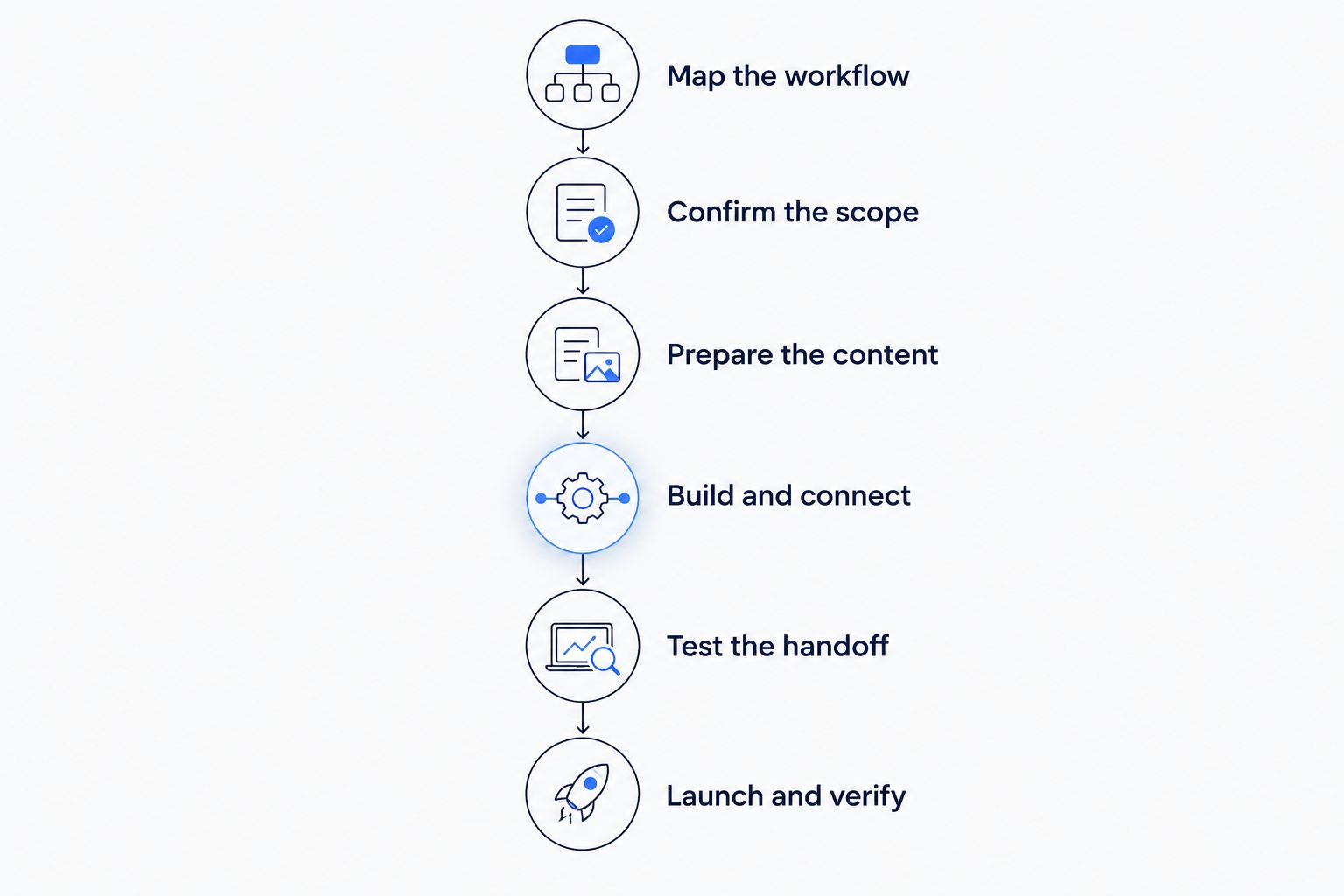
Include content decisions and lead-handoff testing in the schedule, not just design and development.
Why website redesign timelines vary
The useful question is not whether another business launched faster. It is whether your schedule accounts for the work your business needs.
These factors belong in the planning discussion:
Scope boundaries. A visual refresh and a rebuilt inquiry process have different task lists. Write down which one you are approving.
Content readiness. Unfinished service descriptions leave page structure and messaging unresolved. Give content decisions an owner.
Approval responsibilities. Decide who consolidates feedback and who has final authority. Conflicting instructions leave the team without an approved direction.
Tool connections. Forms, calendars, and customer records need access, setup, and testing. Include the people who administer those accounts.
Existing page addresses. Changed or removed addresses need deliberate handling. Review the old-to-new page map before launch.
Acceptance criteria. Define what must work before publishing. Include internal follow-up, not just the visitor-facing pages.
Keep these dependencies visible in your 2026 project plan. When one changes, ask which later tasks it affects and whether the launch commitment needs updating.
How do you keep a redesign from dragging on?
Approve a bounded launch scope and make changes visible. Do not use a fixed deadline to conceal unfinished decisions.
Name an internal decision-maker who collects feedback before sending it to the project team. Separate corrections to agreed work from requests for additional work, and resolve contradictory comments before they become build instructions.
Ask for progress updates that show completed deliverables, open decisions, and the next dependency. A percentage-complete label tells you less than knowing the service pages are approved but the booking connection still needs testing.
ClearPilot Consulting starts with workflow mapping before building automation. For website redesign planning, bring the current inquiry process, the tools involved, and the handoffs you want to fix. That gives an assessment a concrete business problem to address.
Start with your inquiry workflow
Request a free automation assessment focused on inquiries, follow-up, and repetitive admin.
Should lead enrichment be part of the redesign?
Include lead enrichment when your staff need useful business details added to incoming leads before routing follow-up. It is not outbound prospect-list research.
For an illustrative commercial-service inquiry, the workflow might organize the company details supplied by the visitor and flag a missing service location for staff review. The purpose is to make the incoming request easier to handle, not to collect information without a clear use.
Define what happens when details are missing or conflicting. Do not let uncertain information silently reject a request, assign the wrong person, or trigger an inappropriate response. Keep a human responsible for exceptions.
Can your existing website stay live during the redesign?
Your existing website can remain live while a replacement is prepared in a separate development environment. Ask the project team to explain the switch and recovery process before approving launch.
Keep existing inquiry routes working until the replacements have been checked. Avoid changing forms, notifications, and account ownership without telling the staff who depend on them.
For a 2026 launch, write down who checks live inquiries after publication. Website access alone does not establish who owns the follow-up.
Does a redesign mean SEO results arrive at launch?
A redesign launch and SEO results are separate milestones. Publishing new pages does not guarantee better rankings or more qualified inquiries.
Include search-related checks in the build: review page addresses, redirects, descriptive titles, and whether intended pages can be indexed. Keep useful service information rather than removing it solely to simplify the layout.
Judge technical launch readiness separately from later search performance. That distinction prevents a finished website project from being confused with a promised business result.
FAQ
How long does a website redesign take for a local service business?
A website redesign timeline depends on the approved scope, content decisions, tool connections, and launch checks. Ask for a dated plan that names deliverables, dependencies, and approval owners rather than accepting a generic duration.
Is a visual refresh faster than a full website rebuild?
A visual refresh has a narrower task list when it keeps the existing structure and inquiry process. Compare the actual deliverables before comparing completion dates; a refresh does not automatically fix workflow problems.
Can I keep taking leads while my website is redesigned?
You can keep the existing website accepting inquiries while the replacement is prepared separately. Include form testing, the launch switch, and a recovery plan in the project scope.
What should I prepare before a website redesign starts?
Prepare your service details, account access, existing page list, and current inquiry process. Name the person who approves content and the person responsible for following up on leads.
Should I add a chatbot during my website redesign?
Add a chatbot only when it has a defined role in the inquiry workflow. Specify what it can answer, what information it collects, and when it hands the conversation to a person.
Does a website redesign automatically improve Google rankings?
A website redesign does not automatically improve Google rankings. Plan redirects and indexing checks, preserve useful content, and assess search performance separately from launch completion.
How does ClearPilot Consulting approach website redesign planning?
ClearPilot Consulting uses a workflow-first approach: map how work moves through the business before building automation. For a website project, that means examining inquiries, follow-up, tool connections, and human handling of exceptions.
One last thing
Do not call the redesign finished until someone follows the inquiry all the way through. A confirmation screen proves that the visitor saw a message. It does not prove that the right employee received an actionable request.
Put that final check on your 2026 launch plan. Have the responsible employee open the incoming record, confirm the details, and demonstrate the next action. That is a more useful finish line than approving a screenshot.