
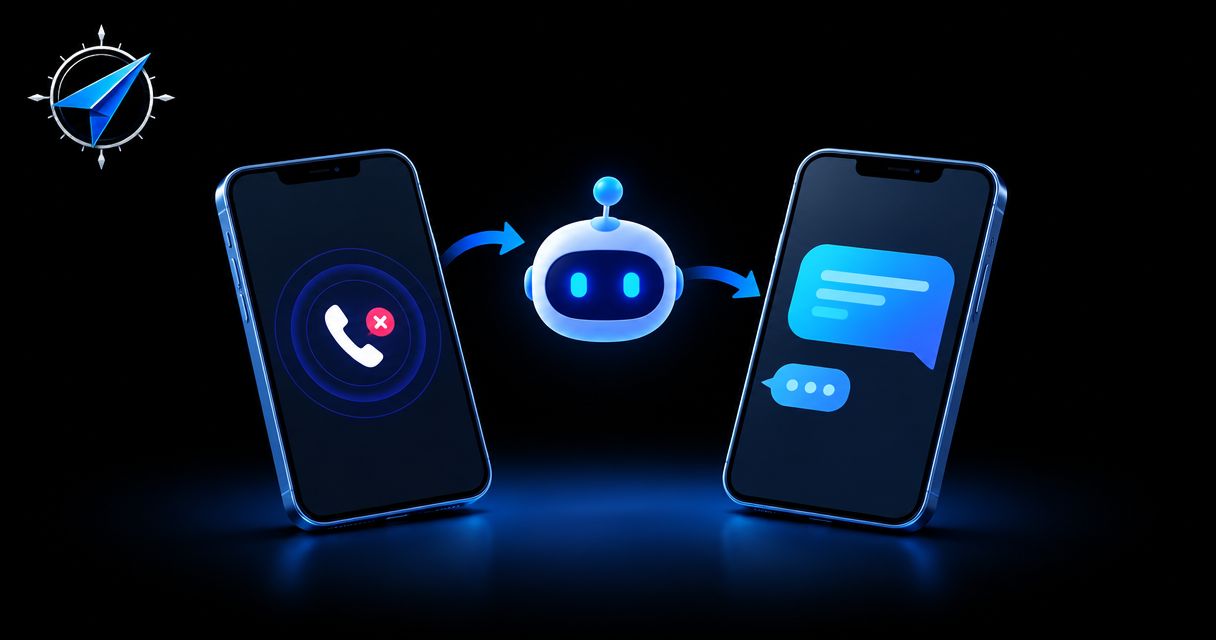
Instead of manually chasing every unanswered call, set up missed call text back automation to send an appropriate acknowledgment and route the reply to someone who can help. Connect the call outcome, messaging permissions, customer record, and follow-up owner before you turn on automatic texts.
TL;DR
Missed call text back automation needs a confirmed unanswered call, messaging permission, and a named follow-up owner.
ClearPilot Consulting’s workflow-first approach fits local businesses connecting missed calls to accountable follow-up.
Start with an acknowledgment and human handoff, not automated quotes or booking promises.
Test answered calls, repeat callers, opt-outs, and failed messages before launch.
Why this matters
An unanswered call creates unfinished work. Someone needs to identify the inquiry, return the call, and record what happens next. A text can acknowledge the caller, but sending a message does not mean the inquiry has been handled.
ClearPilot Consulting’s business process automation consulting starts with that distinction: map how work moves before connecting the tools. The business automation services support that workflow-first approach rather than treating another application as the answer.
For your 2026 setup, define success as a reliable handoff: an eligible caller receives an appropriate message, a reply reaches the right person, and an unresolved inquiry remains visible. Do not count an outgoing text as a booked job.
Before you start
Accounts and access: Have administrator access to your business phone system, messaging service, and shared customer record or inbox. Confirm that your provider supports the required call events and business messaging setup.
Materials and ownership: Prepare approved message wording, business hours, a follow-up owner, and rules for permission, opt-outs, and failed delivery. Verify applicable requirements with your provider and qualified counsel; an incoming call is not blanket permission for automated marketing.
The hidden gotcha: A call can ring several employees, forward elsewhere, or reach voicemail. Confirm how your phone system records the final outcome before using a missed-call event to send a text. Otherwise, an answered caller can receive an unnecessary message.
No specific phone platform is assumed here. The bold labels below are configuration worksheet labels, not claimed button names. Match each requirement to your provider’s documented controls; do not activate a workflow whose call outcomes or permission rules you cannot verify.
Call trigger and eligibility rules
Map the unanswered-call event
Choose one business number. Start with a single inbound number and document where it rings. Include forwarding, voicemail, and any answering service in the map.
Define the final outcome. Under Call outcome, specify which completed call states qualify. Exclude calls answered by your team, including calls answered after forwarding.
Separate the caller from the call. Record the caller’s number and the provider’s unique call identifier. Use the call identifier to recognize repeated notifications about the same event.
Check messaging eligibility. Under Permission and exclusions, document the applicable permission basis, opt-out status, and whether the destination supports texting. Route unknown or excluded cases to a person rather than sending automatically.
Set repeat-call handling. Under Repeat caller rule, decide whether an existing open conversation should suppress another acknowledgment. Keep new calls visible even when another text is unnecessary.
Expected result: One eligible unanswered call creates one follow-up record. Answered calls and excluded numbers do not enter the automatic messaging path.
Use this sequence for your 2026 workflow map: Call outcome, Eligibility check, Acknowledgment, Reply routing, and Human follow-up. Every stage needs an owner or a clear rule.
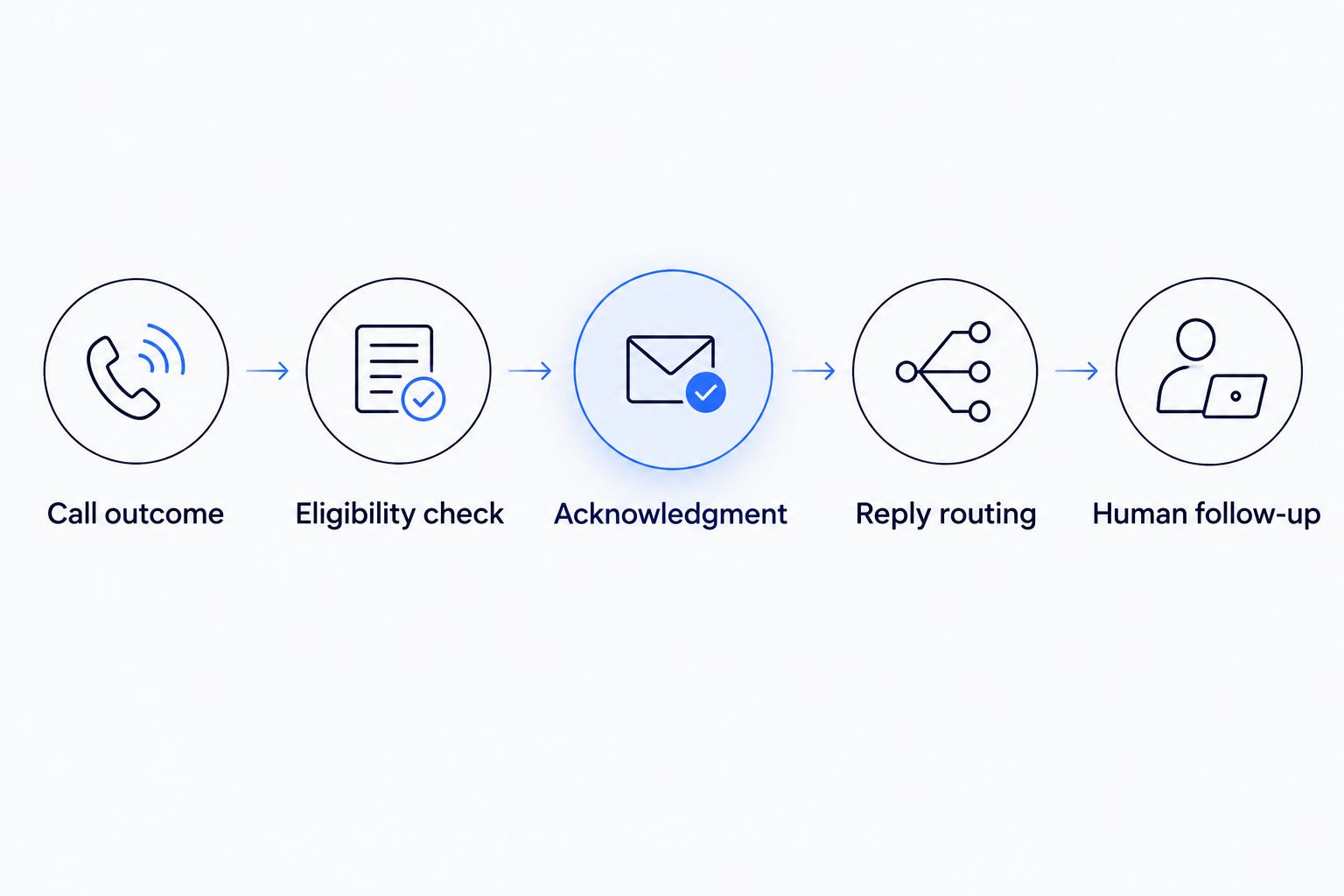
Check eligibility before sending, and assign responsibility after the message leaves.
Keep the original call record when you create the follow-up task. If an employee asks why a customer received a text, the record should show the triggering call and the decision that allowed the message.
Message content and sending controls
Configure the acknowledgment
Identify your business. Under Message text, begin with your actual business name. A caller should not have to guess who is texting.
Acknowledge without overpromising. Say that you missed the call. Do not claim that someone has reviewed the request or promise a callback time your team has not agreed to meet.
Ask for a useful next detail. A service type or general service location can help route the inquiry. Avoid requesting payment details, access codes, or sensitive personal information by text.
Apply messaging requirements. Include the identification and opt-out wording required for your program. Confirm that opt-out requests prevent further automated messages through this workflow.
Record the sending result. Under Delivery handling, distinguish a submitted message from a delivered message, where your provider supplies that information. A failed send needs a visible exception, not a silent retry loop.
Expected result: An eligible missed call produces an identifiable, limited acknowledgment. The customer record shows whether the sending attempt succeeded or needs attention.
Illustrative message structure: Your business name, an acknowledgment that you missed the call, a request for the service needed, and the required messaging disclosures. Adapt and approve the final wording before use.
Keep the first message narrow. Adding offers, promotions, or unrelated questions changes the purpose of the exchange and requires a separate review of your messaging permissions.
Reply routing and human ownership
Connect the response to the next action
Choose a shared destination. Under Reply destination, send responses to an inbox your team actually monitors. Avoid making the owner’s personal phone the only place a lead can land.
Assign responsibility. Under Follow-up owner, name the person or role responsible during business hours and the backup when that person is unavailable.
Add useful lead details. Attach the service requested, general location, and information already supplied. This is inbound lead enrichment: adding useful business details to an incoming inquiry and routing follow-up, not researching outbound prospect lists.
Separate facts from uncertainty. Keep customer-provided details distinct from inferred or conflicting information. Use the guide to handling missing or conflicting lead details when your intake record needs that distinction.
Define completion. Under Resolution, specify what closes the task: a completed callback, a confirmed next step, or another documented outcome. An automatic acknowledgment alone does not close it.
Expected result: A reply reaches a named person with enough context to act. No reply leaves an open follow-up task rather than disappearing into the message history.
For a 2026 launch, keep automated decisions limited to routing and acknowledgment. Let a person handle exceptions, disputed details, urgent requests, and commitments about the work.
Choose the right response scope
These are workflow choices, not separate product recommendations. Start with the least complicated option that addresses your missed-call problem.
| Workflow option | Best for | Benefit | Limitation |
|---|---|---|---|
| Acknowledgment and callback task | Owners establishing a first missed-call process | Creates a clear handoff with limited automation | A person still needs to qualify the inquiry |
| Acknowledgment and intake question | Teams routing inquiries by service or location | Adds context before follow-up | Customer replies can be incomplete or ambiguous |
| Acknowledgment and scheduling handoff | Teams with a verified scheduling process | Gives suitable inquiries a next step | Needs separate rules for eligibility and booking exceptions |
Start with acknowledgment and a callback task. Add intake questions only when the answers change who handles the inquiry or what happens next. ClearPilot Consulting’s workflow-first approach suits owners who need those decisions mapped before implementation; the trade-off is that process decisions must happen before configuration.
After-hours missed-call text back automation
An after-hours variant is useful when callers need acknowledgment but nobody is available to continue the conversation. Keep it separate from the business-hours route so the message does not imply that an employee is responding immediately.
Set the business schedule. Use the location’s actual time zone and account for planned closures. Review the 2026 holiday schedule before launch.
Approve the after-hours wording. State that the business is closed and explain the next step without inventing a response deadline.
Create the next-shift task. Assign the inquiry to the role responsible when the business reopens. Carry over the original call and any replies.
Define urgent exceptions. If your business has an approved emergency route, use it as documented. Do not let automated text intake imply emergency monitoring that does not exist.
Expected result: Eligible after-hours callers receive the correct acknowledgment, and the next working shift receives a visible task with context.
The advantage is clearer expectations outside business hours. The limitation is unchanged: a text does not provide live coverage. Do not describe this workflow as round-the-clock customer service unless people or an approved service actually provide it.
Test before you enable live sending
Use controlled numbers and a test record. Do not use real customers to discover whether your exclusions work.
Run 5 test calls covering an answered call, an eligible unanswered call, a repeat call, an opted-out caller, and an after-hours call. Create a separate failed-message test using the method your provider documents.
For each case, inspect 2 records: the phone event and the resulting customer task or conversation. Confirm that the outcome, permission decision, message attempt, and owner agree. These are test instructions, not performance benchmarks.
Keep the launch boundary at 1 business number until these cases behave as designed. Record who can pause the automation and how the team will handle missed calls manually during a pause.
Troubleshooting
Customers receive texts after an employee answers
Check whether the trigger uses an individual extension’s unanswered event rather than the completed call outcome. A forwarded call can go unanswered at one destination and still reach a person elsewhere. Base eligibility on the final outcome supported by your phone system.
The same caller receives repeated acknowledgments
Inspect whether the phone provider sent repeated notifications for one call or the caller made separate calls. Use the unique call identifier to block duplicate processing. Use the open-conversation rule to handle genuine repeat calls without hiding them from staff.
The message fails but the inquiry appears complete
Separate sending status from resolution. Restore an open follow-up task, notify its owner, and inspect the provider’s failure reason. Do not repeatedly resend until someone has checked the destination, messaging setup, and applicable restrictions.
Replies arrive, but nobody follows up
Check the shared inbox, assignment rule, staff access, and backup owner. Test with the assigned employee’s account, not only an administrator account. Keep the task open until a person records the next action.
An opted-out caller enters the messaging path
Pause automatic sending and check where suppression is enforced. Confirm that the workflow reads the current opt-out state before sending and that opt-outs reach connected records. Keep phone follow-up subject to your applicable policies and requirements; do not treat another channel as permission to ignore a customer’s request.
Customize your workflow
Once the handoff works, connect the next useful step. A qualified inquiry can move toward scheduling; a confirmed job can move toward onboarding; completed work can move toward invoicing. Keep each transition separate so a vague text reply cannot trigger a commitment.
For your 2026 review, compare the original call, the assigned task, and the recorded outcome. Look for unanswered inquiries and broken handoffs before adding more messages.
ClearPilot Consulting can map this process around the tools your business already uses where practical. Bring a recent missed-call example and your current follow-up process to the free automation assessment.
Map your missed-call handoff
Request a free automation assessment focused on unanswered calls, reply ownership, and follow-up.
FAQ
What is missed call text back automation?
Missed call text back automation sends an appropriate text after an eligible unanswered business call. A complete workflow also records the inquiry, routes replies, and assigns human follow-up.
Can I text everyone who calls my business?
Do not assume every incoming call permits an automated text. Verify the applicable permission requirements, messaging program rules, exclusions, and opt-out handling before enabling sending.
Do I need a new business phone number?
Not necessarily; first confirm whether your existing phone setup supports the required call events and messaging configuration. Map forwarding and final call outcomes before deciding what needs to change.
What should the missed-call text say?
Identify your business, acknowledge the missed call, and explain the next step. Include required messaging disclosures and avoid promises about callbacks, scheduling, or service that your team has not approved.
Can the automation book appointments for me?
Appointment booking requires a separate scheduling workflow with verified rules and exception handling. Start with acknowledgment and human follow-up if booking eligibility is not clearly defined.
How do I stop duplicate missed-call texts?
Track the unique call identifier to prevent repeated processing of the same call. Add an open-conversation rule for genuine repeat callers while keeping their calls visible to your team.
What happens when a customer never replies?
The inquiry should remain assigned for follow-up according to your documented process. No reply is not evidence that the customer no longer needs help.
One last thing
Test the call you answer, not just the call you miss. The most revealing check is whether your workflow stays silent when an employee answers after a transfer. Correctly doing nothing is part of a working automation.