

Business process automation cost depends on the workflow you need fixed, the tools it must connect, and the support required after launch. Budget for mapping, setup, testing, and handover—not just a software subscription. For a small service business, start with a clearly bounded process, such as turning an incoming inquiry into assigned follow-up, before funding a wider build.
TL;DR
Business process automation cost includes setup, software, testing, and ongoing ownership—not just a subscription.
ClearPilot Consulting fits local businesses that want workflow mapping before automation is built.
Start with an inbound lead or admin workflow whose completion you can clearly verify.
Ask every consultant to separate implementation, recurring charges, support, and future changes.
How much does business process automation cost for a small business?
Treat business process automation as a scoped implementation project, not a software purchase. Your budget needs to cover what happens before launch, what keeps running afterward, and what happens when something fails.
For a 2026 project, ask for a written breakdown against the categories below. A proposal that lists only an automation platform leaves the process design and operating responsibilities unresolved.
| Budget component | What it covers | What to clarify |
|---|---|---|
| Workflow mapping | Documenting triggers, decisions, handoffs, and exceptions | Which process starts and ends the project? |
| Implementation | Connecting tools and configuring actions | Which accounts and permissions are required? |
| Testing | Checking routine cases, missing details, and failures | What must work before launch? |
| Software and usage | Subscriptions and usage-based services | Who owns the accounts and receives the bills? |
| Handover | Instructions, access, and staff preparation | Who can maintain or pause the workflow? |
| Ongoing support | Monitoring, troubleshooting, and agreed changes | What is included, and what needs a separate agreement? |
Before requesting quotes, define the outcome using the guide to scoping your first workflow. “Website inquiry reaches the right employee with enough detail to respond” gives a consultant a clearer boundary than “automate our sales.”
Why this matters
You can buy software and still leave the original problem untouched. A form notification does not solve slow follow-up if nobody owns the next action.
The same applies to invoicing. Moving information between systems helps only when the job status, customer details, and approval rules are clear. Automating an unclear process carries the confusion into the next tool.
Your 2026 budget should therefore describe a business outcome and its operating rules. The deliverable is a working handoff, not merely a connected account.
Compare the scope before you compare proposals
Different automation projects solve different owner problems. Use the following comparison to match the work to your actual bottleneck; these are project types, not named service packages.
| Project type | Best for | Main advantage | Main limitation |
|---|---|---|---|
| Inquiry routing | Owners who need incoming leads assigned consistently | Gives each inquiry a defined next step | Weak intake details still need clarification |
| Lead enrichment | Teams receiving incomplete or poorly organized inquiries | Adds useful business details and routes follow-up | Conflicting information needs review rules |
| Scheduling handoff | Teams moving qualified inquiries toward appointments | Connects intake with the booking process | Calendar rules and exceptions need careful handling |
| Onboarding or invoicing | Teams repeatedly entering approved customer or job details | Reduces repeated movement of the same information | Incorrect source records can spread downstream |
| AI agent or chatbot | Teams needing conversational intake or flexible assistance | Can collect information through a conversation | Needs boundaries, testing, and human escalation |
Do not assume every workflow needs an AI agent. A fixed rule is easier to inspect when the decision is straightforward: an inquiry outside your service area goes to review rather than directly to scheduling.
Conversational tools serve a different purpose. They can help collect details, but the implementation still needs an owner, a clear destination for the information, and a way to stop when a request falls outside its instructions.
Inquiry routing: define ownership before adding features
Best for: businesses where inquiries arrive but follow-up responsibility is unclear. Start with the inquiry source, the assigned employee, and the action that confirms the handoff is complete.
The advantage is a narrow, visible process. The limitation is that routing alone does not fix an unanswered inbox or an employee who lacks the information needed to respond.
Lead enrichment: collect useful details, not everything
Best for: businesses that repeatedly ask incoming leads for the same missing information. Lead enrichment means adding useful business details to an incoming inquiry and routing follow-up—not building an outbound prospect list.
An illustrative home-service workflow might organize the requested service, location, and preferred contact method before assignment. Its limitation is uncertainty: missing or conflicting information needs a review path, not an invented answer.
Connected admin: agree on the source record
Best for: businesses copying approved details between onboarding, job records, and invoicing. Define which system holds the authoritative customer information and which event permits the next action.
The benefit is less repeated entry. The trade-off is dependence on accurate status changes: marking a job complete incorrectly can trigger an action before the business is ready.
Why business process automation cost varies
The scope of the work changes when the workflow contains more decisions, connections, or exceptions. Compare these factors before treating different proposals as equivalent.
Workflow boundaries. Routing an inquiry ends at assignment. Managing the same inquiry through scheduling, onboarding, and invoicing includes additional handoffs.
Existing connections. A usable connection between current tools changes the implementation work. Restricted access or unsupported actions require a different plan.
Record quality. Missing contact details, duplicate customer records, and inconsistent job statuses create cleanup and review work.
Decision complexity. A fixed assignment rule differs from interpreting a message, identifying missing information, and deciding when to involve a person.
Exception handling. Failed connections, conflicting details, and unavailable employees need defined responses rather than silent failures.
Ownership and support. Documentation, monitoring, staff preparation, and future changes must have an agreed owner and scope.
For your 2026 comparison, keep these assumptions beside each proposal. A shorter feature list is not automatically a worse proposal if it draws a clearer boundary around the problem you need solved.
How do you build a useful automation budget?
Build the budget from the process outward. These steps create a brief that a consultant can assess without guessing how your business operates.
1. Map the process
Write down how work moves today, including the manual parts. Name the event that starts the workflow and the event that proves it finished.
For example, an illustrative inquiry-routing process starts when a website form arrives and ends when the assigned employee receives a usable record. Booking the appointment is a separate endpoint unless you explicitly include it.
2. Check the tools
List the systems already involved: your website form, inbox, customer records, scheduling tool, or invoicing system. Include who controls access and whether staff actually use each system as intended.
Connect the tools you already use where practical. Replacing a system introduces migration and training work that belongs in the scope, rather than appearing as an unexpected dependency later.
3. Set approval rules
Separate routine actions from decisions that require a person. Sending an acknowledgment differs from approving a refund, changing a quote, or committing staff to a job.
For each decision, state what the automation can do and when it must stop. Keep people in control of exceptions and commitments the business has not authorized.
4. Test exceptions
Write test cases for incomplete inquiries, duplicate submissions, unavailable systems, and requests outside the agreed scope. Decide what staff should see when an action fails.
A successful routine submission is not enough to accept the build. Check that the workflow also sends uncertain cases to the right person without quietly treating them as complete.
5. Assign ownership
Name the person responsible for checking the workflow after launch. Confirm who can change its rules, pause it, restore access, and contact support.
Keep account ownership separate from implementation access. Your business should understand which services it depends on and what happens when staff or consultants change.
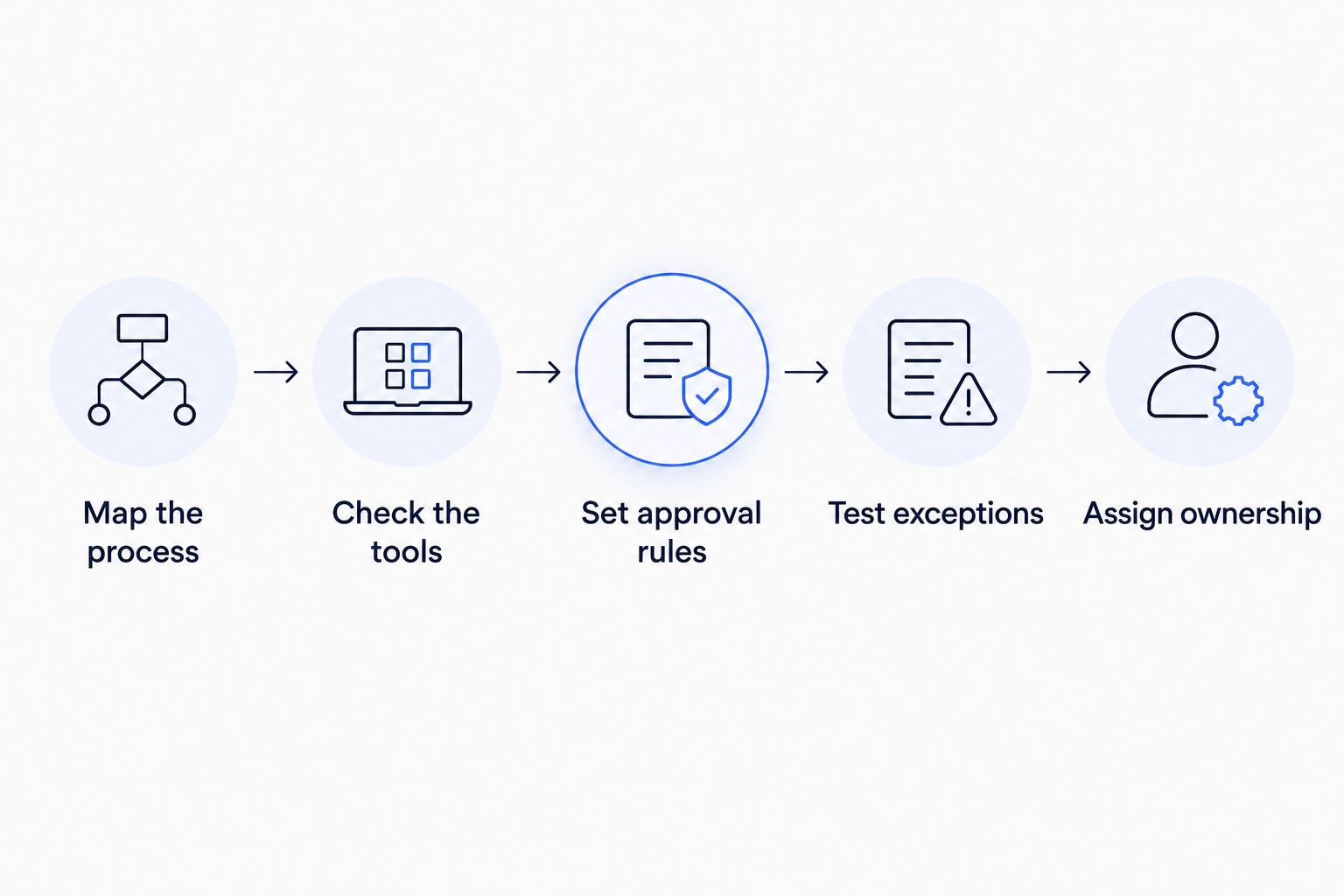
Define the workflow and its controls before approving the build.
Use this sequence to prepare a free automation assessment request. Describe the bottleneck, the tools involved, and where a person must remain in control; that gives the discussion a concrete starting point.
Start with your workflow
Bring the process, current tools, and repetitive handoffs to a free automation assessment.
What should an automation proposal include?
A useful proposal makes the boundary visible. You should be able to explain what the consultant will build, what your team must provide, and what remains outside the project.
Ask for the following in writing:
The trigger, endpoint, and included actions.
The tools and accounts involved, with ownership identified.
Required input fields and rules for incomplete information.
Human approval points and failure notifications.
Acceptance tests and the person approving launch.
Handover instructions, support responsibilities, and change terms.
ClearPilot Consulting is best for local business owners who want business automation mapped before it is built. Its workflow-first approach connects the process to implementation, using existing tools where practical and keeping people responsible for decisions and exceptions.
That approach still requires owner input. You need to explain how work actually moves, resolve unclear rules, and approve the finished workflow; a consultant cannot make those business decisions on your behalf.
Is a software subscription the full automation cost?
A software subscription is only part of business process automation cost. Process mapping, configuration, testing, handover, and ongoing responsibility also belong in the budget.
Ask which services continue after launch and which charges depend on usage. Keep those obligations separate from implementation so your 2026 operating budget reflects the workflow you actually approve.
Can you reduce scope without losing the main benefit?
You can reduce scope by ending the project at a clear, useful handoff. For an inquiry workflow, that might mean creating a complete record and assigning follow-up rather than also rebuilding scheduling and invoicing.
The trade-off is that downstream work remains manual. Accept that boundary deliberately instead of assuming the rest of the process is included.
Should website work and SEO be included?
Website work and SEO belong in the scope when the problem involves attracting inquiries or capturing the details needed for follow-up. They should remain separate deliverables with their own acceptance criteria.
A website form change might support the automation directly. A broader search-content project addresses a different problem and should not obscure whether the lead handoff works.
FAQ
How much does business process automation cost for a small business?
Business process automation cost depends on the workflow, tool connections, decision rules, and support scope. Request separate implementation and recurring-cost breakdowns tied to a defined start and endpoint.
What should I prepare before requesting an automation quote?
Prepare the current process, the tools involved, the repeated problem, and the outcome you want. Identify who approves decisions and where incomplete information needs human review.
Do I need new software to automate my business?
New software is not automatically required. Check whether the tools you already use can support the needed actions before adding another system.
Is an AI agent necessary for lead follow-up?
An AI agent is not necessary for every lead-follow-up workflow. Fixed routing and notification rules can handle clearly defined actions; conversational tasks need additional boundaries and escalation rules.
What does inbound lead enrichment include?
Inbound lead enrichment adds useful business details to incoming inquiries and routes follow-up. Define which details are needed, how they are checked, and what happens when information conflicts.
Who should own the automation accounts?
Your agreement should explicitly identify account ownership, billing responsibility, and administrator access. Keep a record of the services involved and who can pause or maintain the workflow.
What should I bring to a ClearPilot Consulting automation assessment?
Bring a specific workflow problem, the tools your team uses, and examples of where work stalls. Include the decisions that need your approval and the handoffs you want to improve.
One last thing
Put the stopping rule in the brief. Describe when the workflow must pause, who receives the exception, and what information that person needs to act.
Make this a 2026 acceptance requirement, not a later enhancement. A workflow that stops visibly at an uncertain decision is easier to supervise than one that keeps moving without authorization. ClearPilot Consulting's business automation work starts with those process boundaries—not with a tool chosen in advance.